Overview
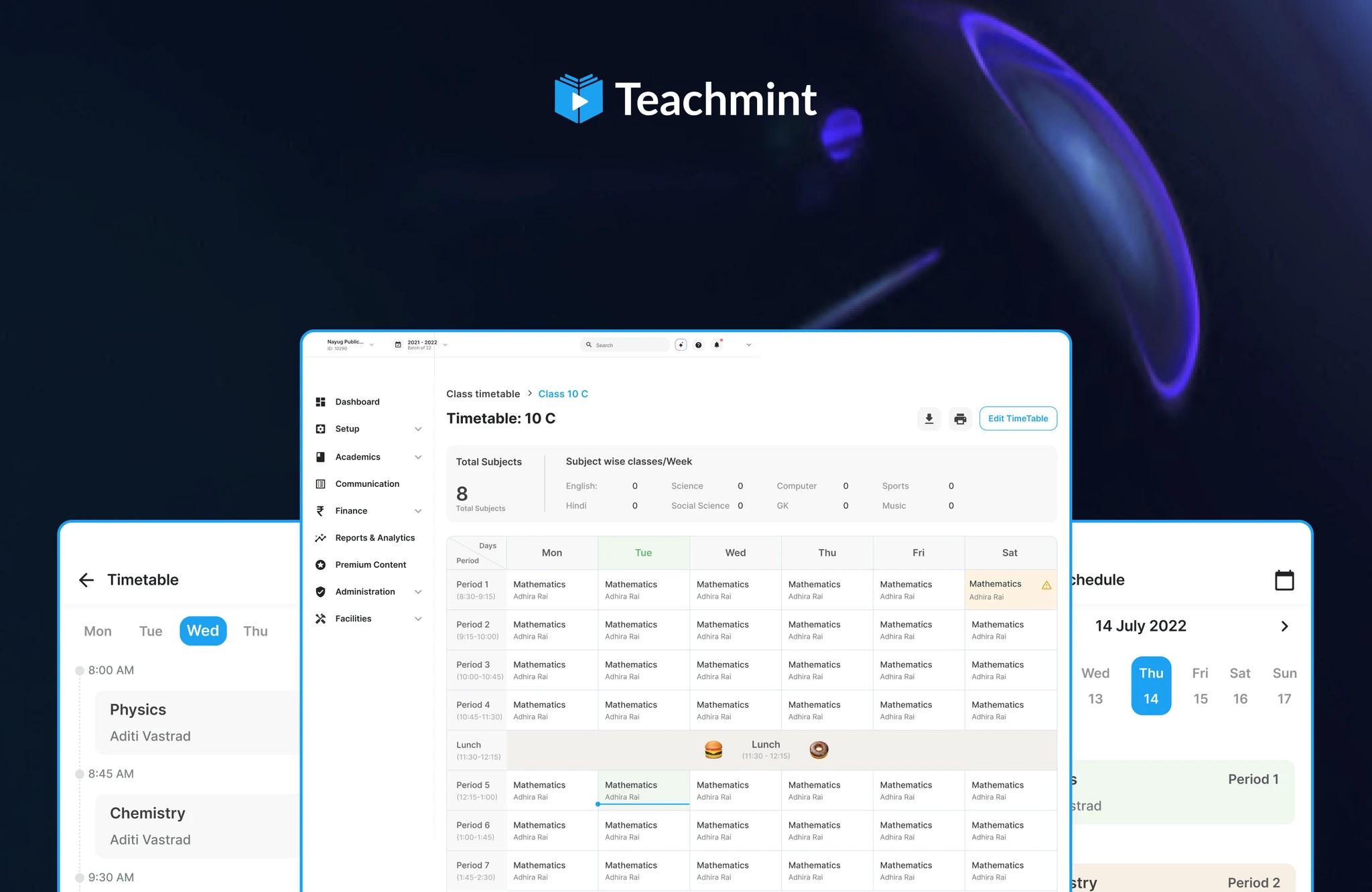
Timetable Maker is a Teachmint feature for school admins and IT teams who need to build the school timetable at the start of each academic year, then keep students and teachers looking at the same schedule on web and mobile.
Before this, most of that work happened outside the product: spreadsheets, printouts, and side chats. Setup was slow, easy to break, and hard to share digitally once the year started.
I designed Timetable Maker as an Associate Product Designer at Teachmint in 2022, across web, Android, and iOS. It sits in the same school-facing product world as Krayon, Teachmint’s design system from that period.
Who it was for
School admins and IT people who configure classes, subjects, teachers, and period structures. Junior and senior classes often need different schedules. Once the timetable exists, students and teachers need a clear daily view on their phones, not another PDF.
What it was like before
User research with school admins and IT staff kept pointing to the same friction:
- Building a timetable by hand across many classes, subjects, and teachers was tedious and easy to get wrong.
- Setup took too long at the start of the year, when schools are already busy.
- Sharing the finished timetable digitally was weak, so staff and students stayed out of sync.
- Different schedules for junior and senior classes made one flat spreadsheet even harder to trust.
The constraints that shaped the design
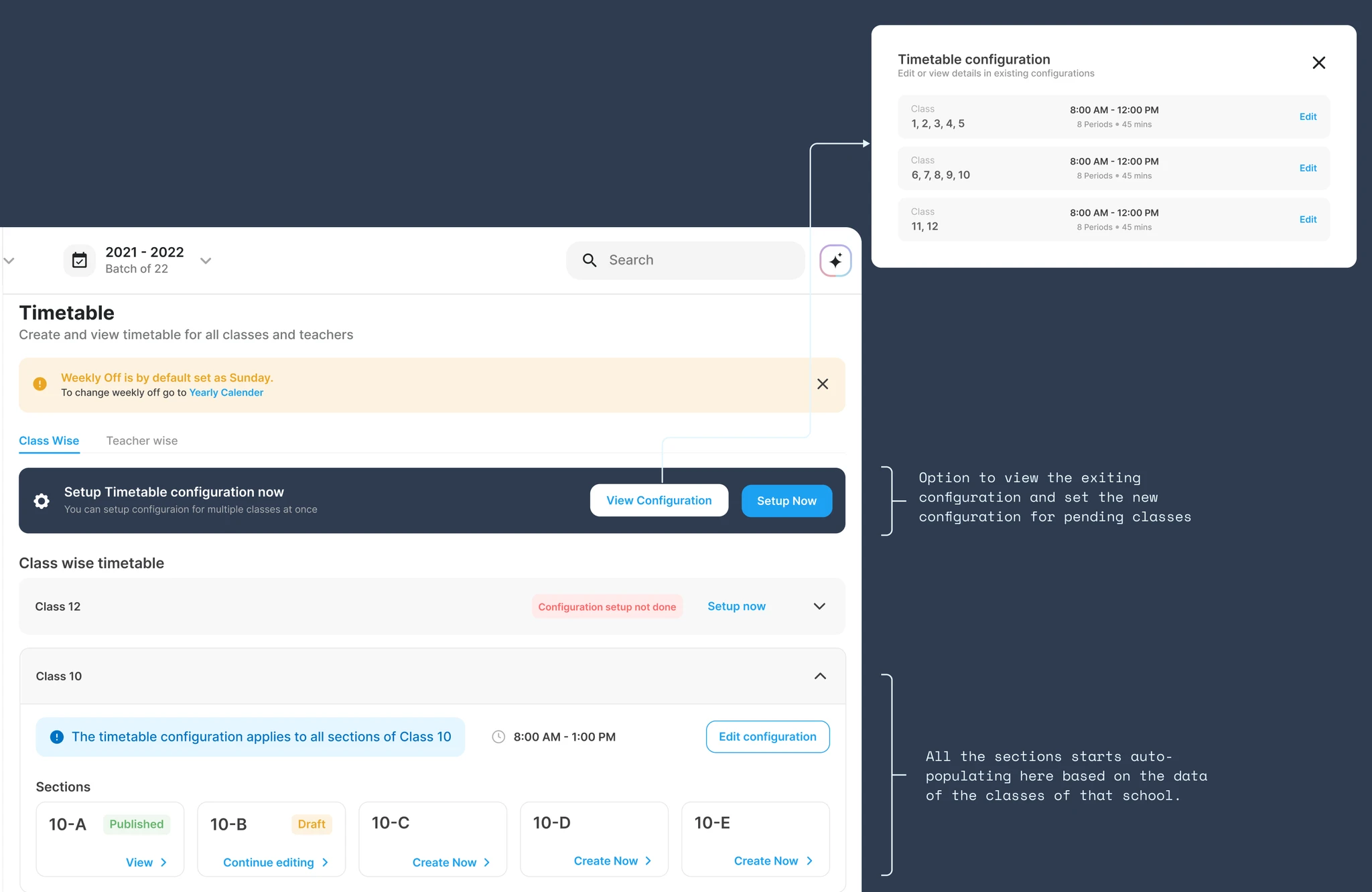
Configuration before grid. You cannot fill periods until classes, groups, and structure are set. The product had to teach that path, not dump people into an empty grid.
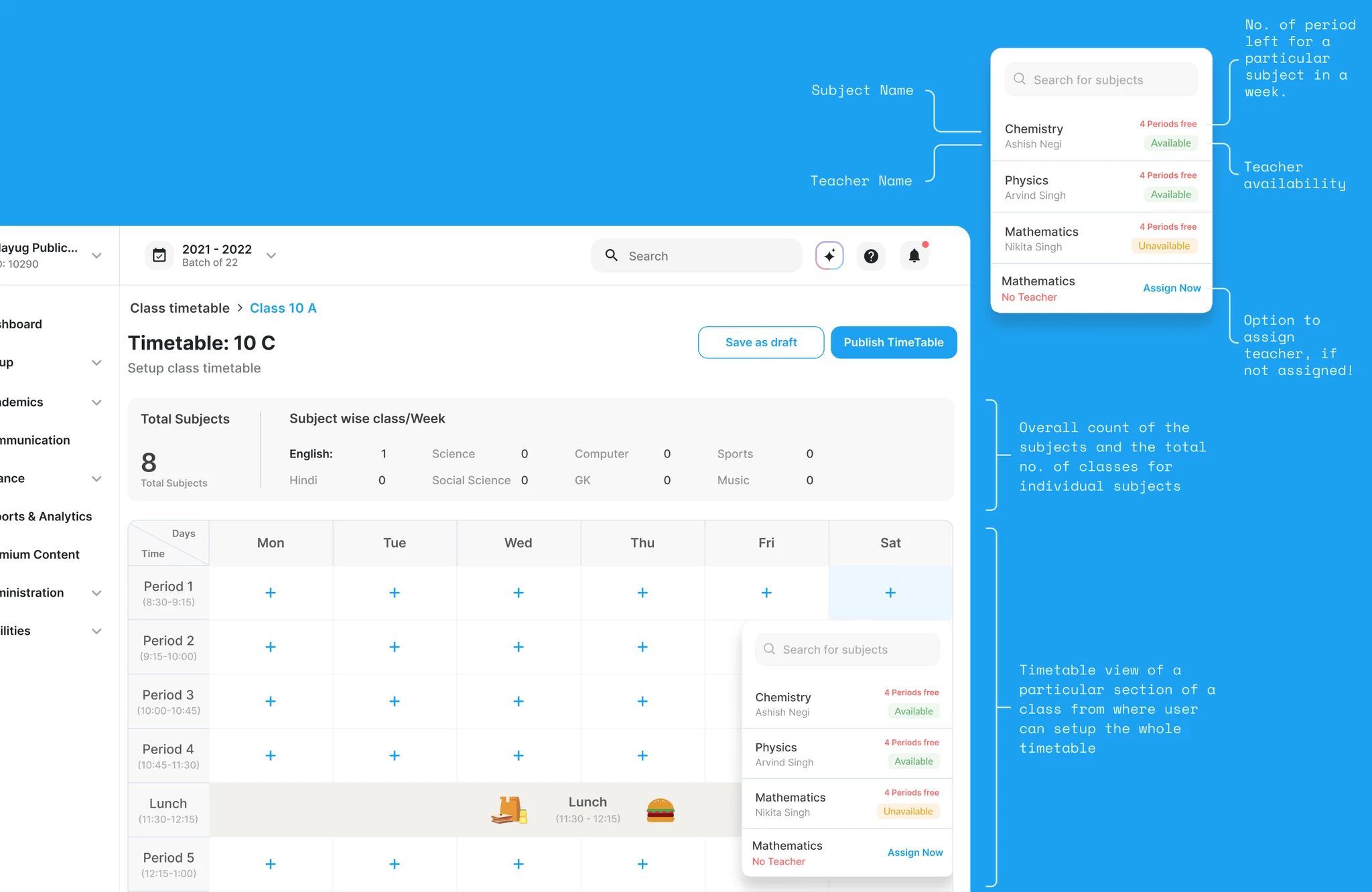
Real-time validation. Subject and teacher conflicts show up while someone is editing, not after the whole week is done.
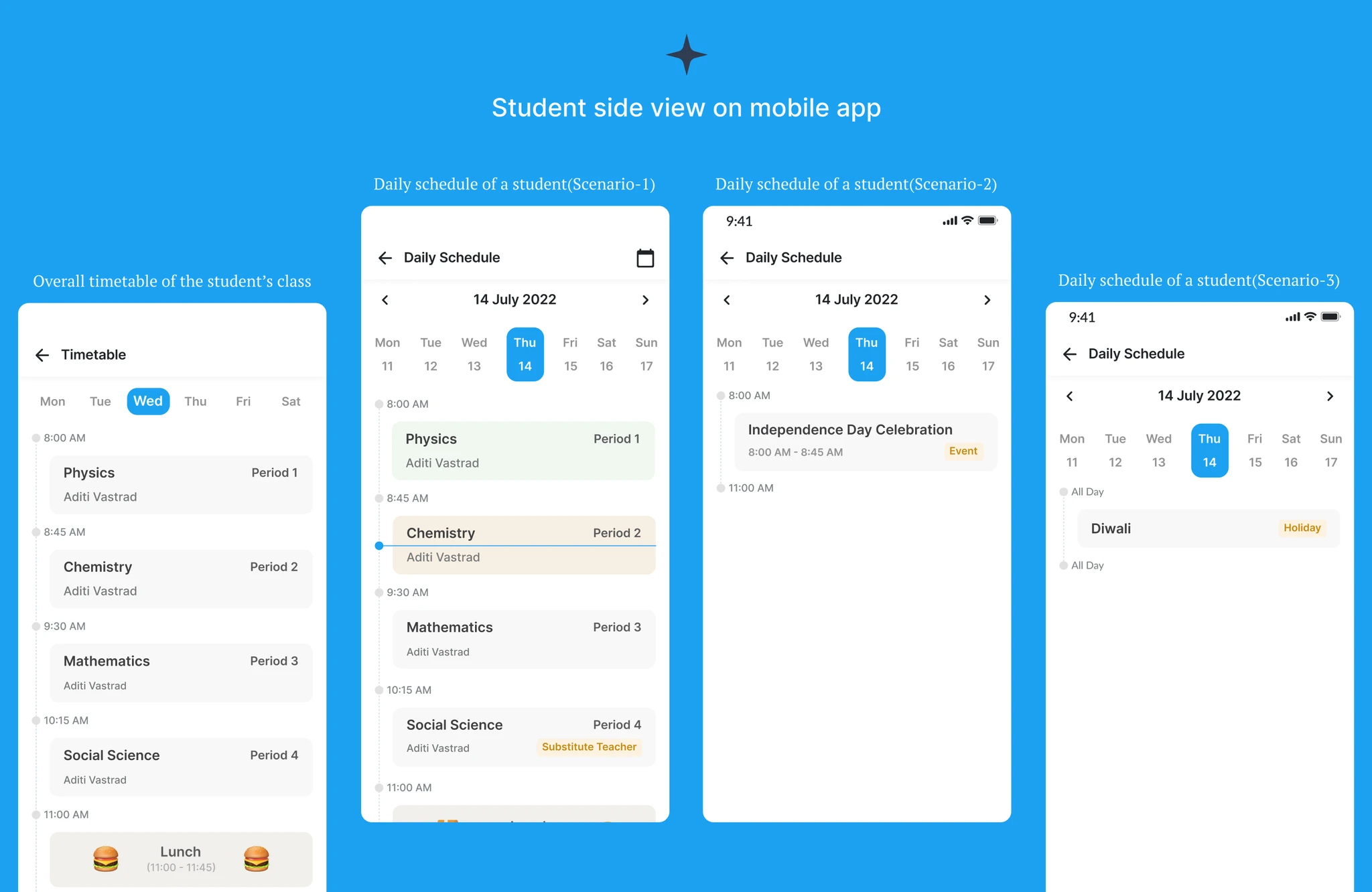
Two audiences. Admins build on web. Students and teachers consume on mobile. One timetable, different jobs.
Empty states matter. At the start of the year the feature is empty on purpose. The zero state has to explain what to do next, then get out of the way once configuration exists.
How I worked on this
I owned product design for the admin setup journey on web and the student / teacher timetable views on mobile. The work covered zero states, configuration flows, the period grid with validation, the finished class view, and how that same schedule appears for students and teachers on phone.
Teachmint was my first design job. My manager and very senior designer, Malik, mentored me through this work: he constantly helped, guided me, and taught me the basics of design while I shipped Timetable Maker.
What we built
Landing screen (zero state)
Educates the admin about the feature and prompts them to start timetable configuration.
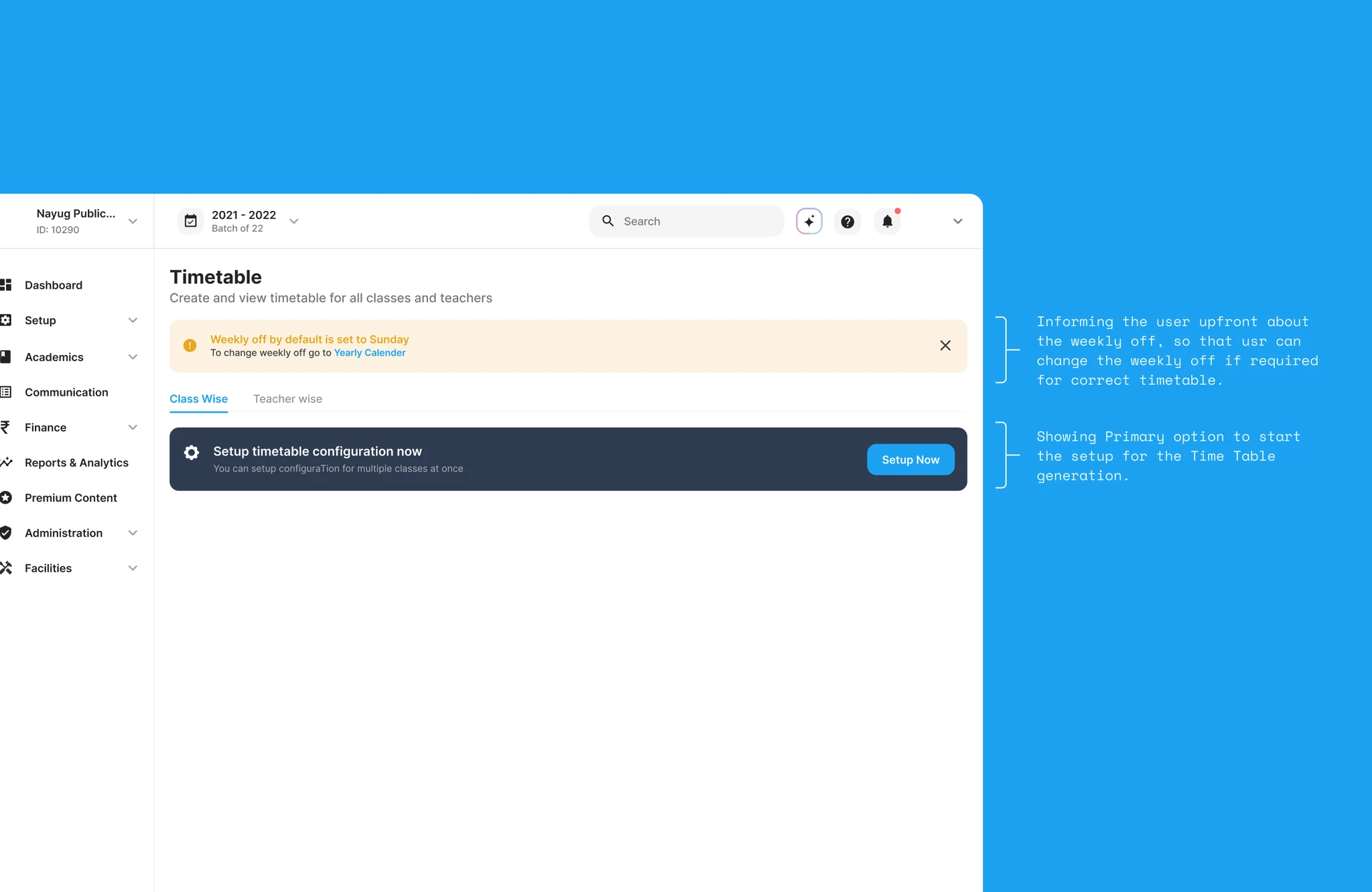
Setup flow (empty state)
Configure a group of classes at once, instead of rebuilding structure class by class.
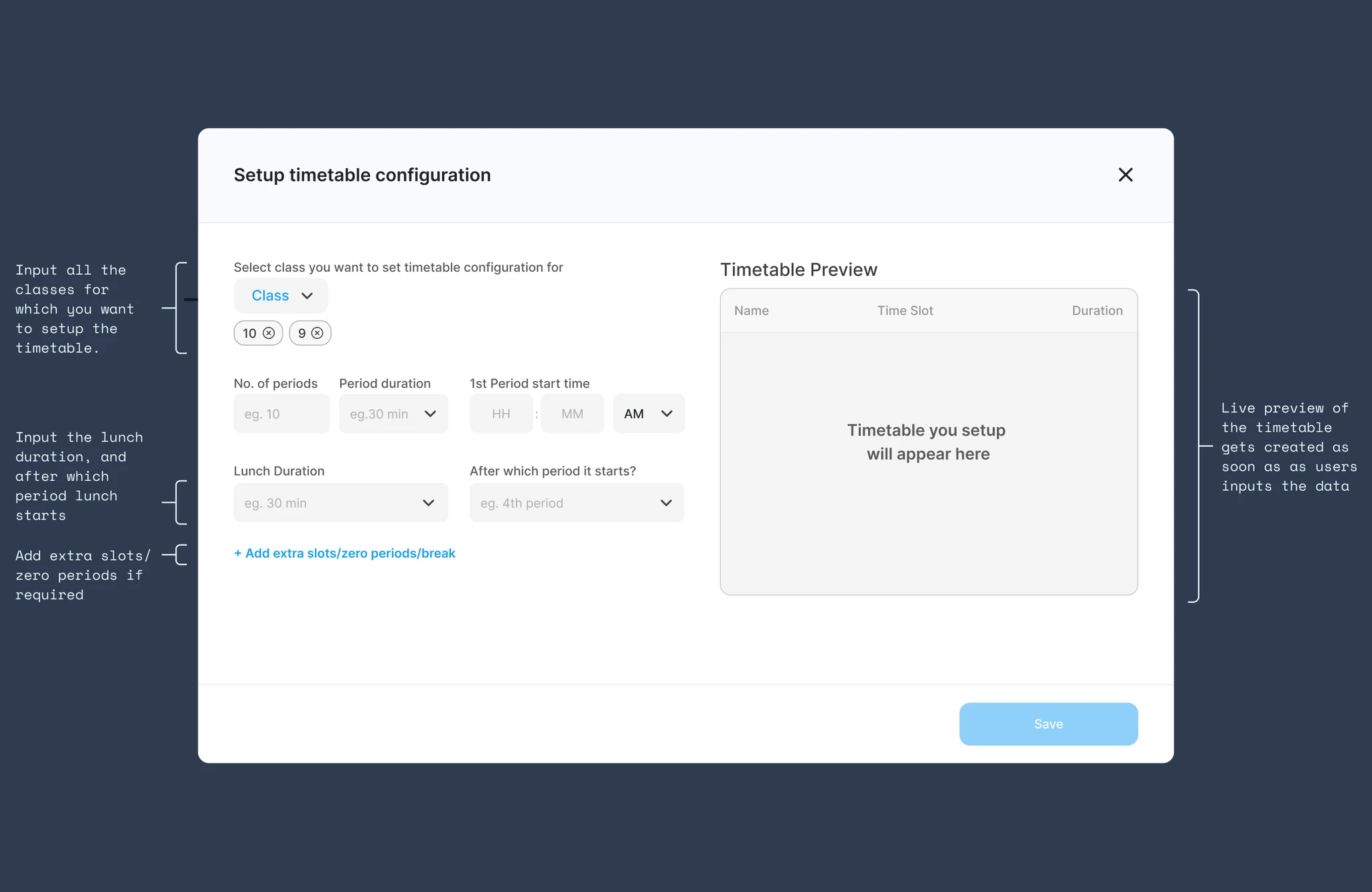
Setup flow (class groups)
Continue configuration across class groups so junior and senior schedules can differ without forking the whole tool.
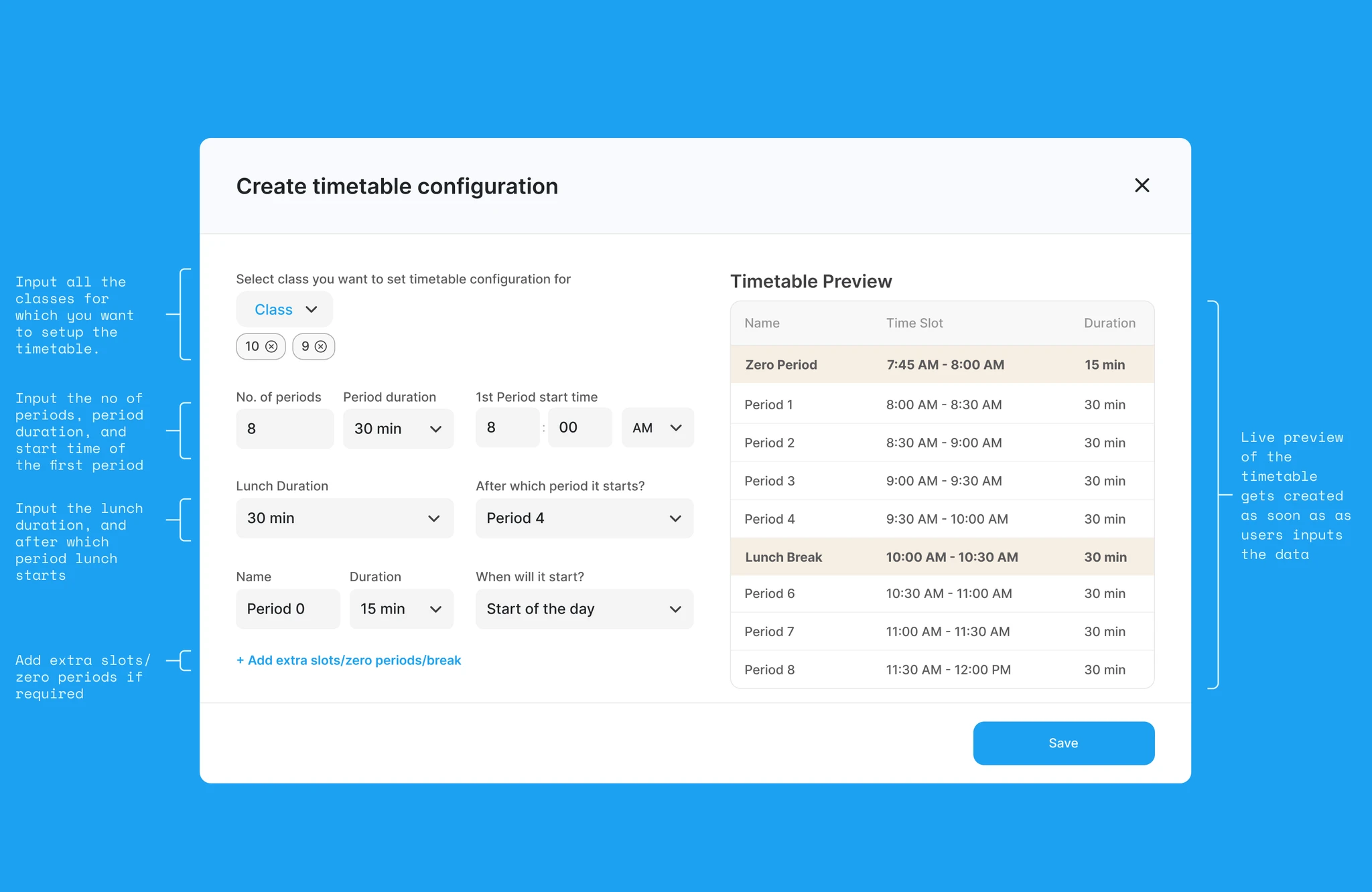
Landing screen (filled state)
After some classes are configured, the landing screen shows progress instead of a blank start.
Timetable setup view
Add subjects for each period, with real-time validation of subjects and teachers.
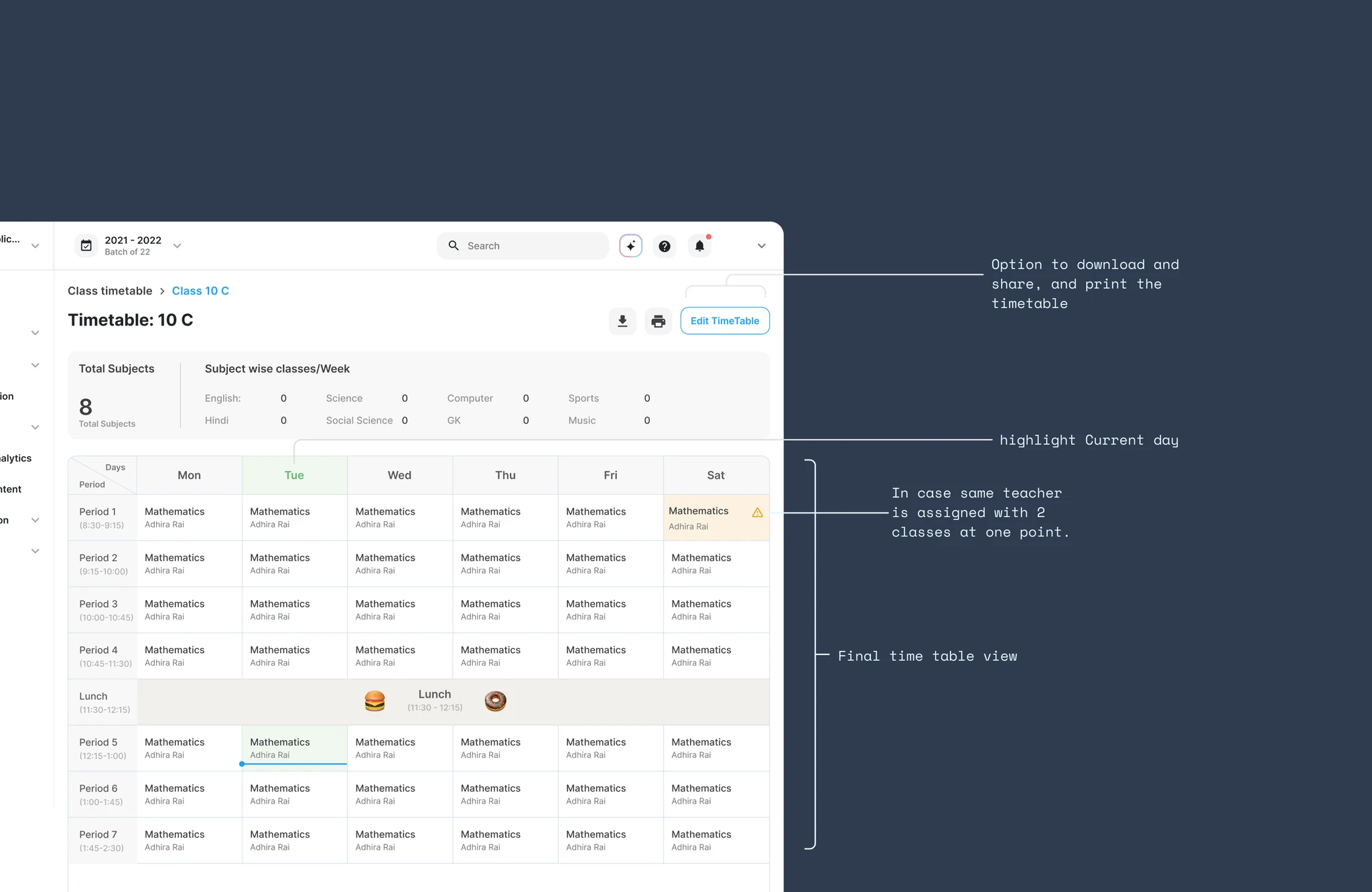
Final timetable view
The finished timetable for a particular class after setup is complete.
Student view (mobile)
Student-side view for their class timetable and daily schedule.
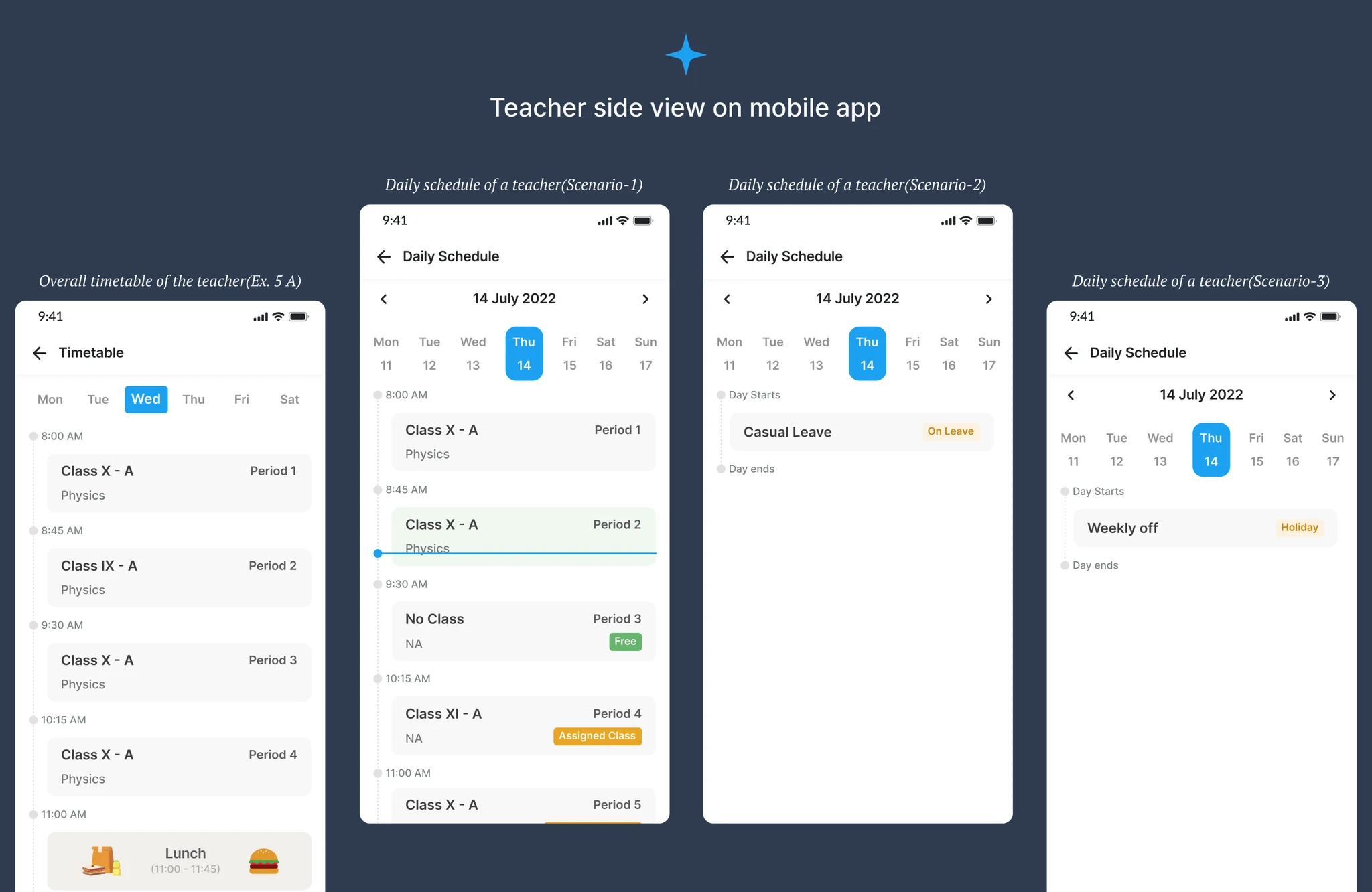
Teacher view (mobile)
Teacher-side view for their class timetable and daily schedule.
Outcomes
- A guided path from empty school → configured classes → filled periods → shared timetable, instead of spreadsheet chaos at year start.
- Admins get setup and validation on web. Students and teachers get the same schedule on mobile.
- Digital sharing becomes part of the product, not a side process after printouts.
- The feature sits on the same Teachmint platform and visual language I also worked on through Krayon.